Invoicing software in Ghana for clear client documents
Finza helps you create quotes, proformas, invoices, and receipts in GHS, then share them by PDF, email, public link, or WhatsApp with payment instructions clients can act on.
No card required to start. Work in GHS with Ghana tax lines where applicable.
Invoicing should not be separated from the rest of your business
An invoice is usually not the first step. Before the invoice, there may be a proposal, quote, proforma, site visit, scope of work, or client approval.
Finza helps keep that workflow connected so your team can move from client request to invoice, payment, receipt, and reports without rebuilding the same records again.
Create invoices that are clear for clients and useful for your records
Finza helps you prepare invoices with customer details, line items, due dates, totals, notes, and Ghana tax lines where applicable.
Your invoices are not just documents for the client. They also become part of your payment tracking, customer balance, reports, and accountant-ready records.
Professional invoices
Create invoices that are easy for clients to read and easier for your team to track.
GHS records
Keep invoice amounts, totals, and reports in Ghana cedis.
PDF and public links
Share invoices as PDFs or secure public document links.
Email and WhatsApp sharing
Send invoice links in the channels your clients already use.
Invoice workflow
From invoice details to customer-ready documents
Create invoices, review the details, and keep the customer's payment record connected to the same workflow.
Create invoices from the same place you manage records
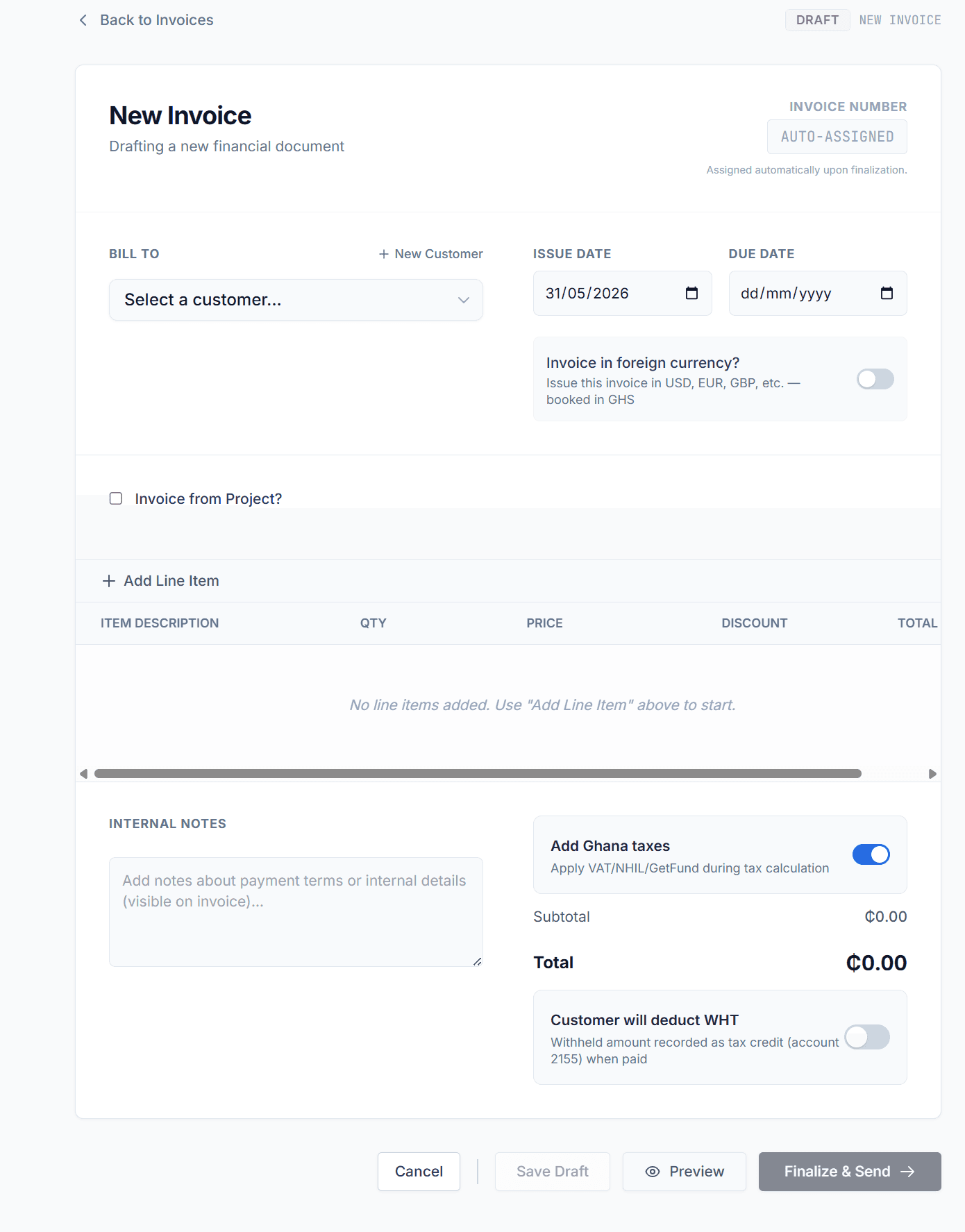
Professional invoices customers can understand
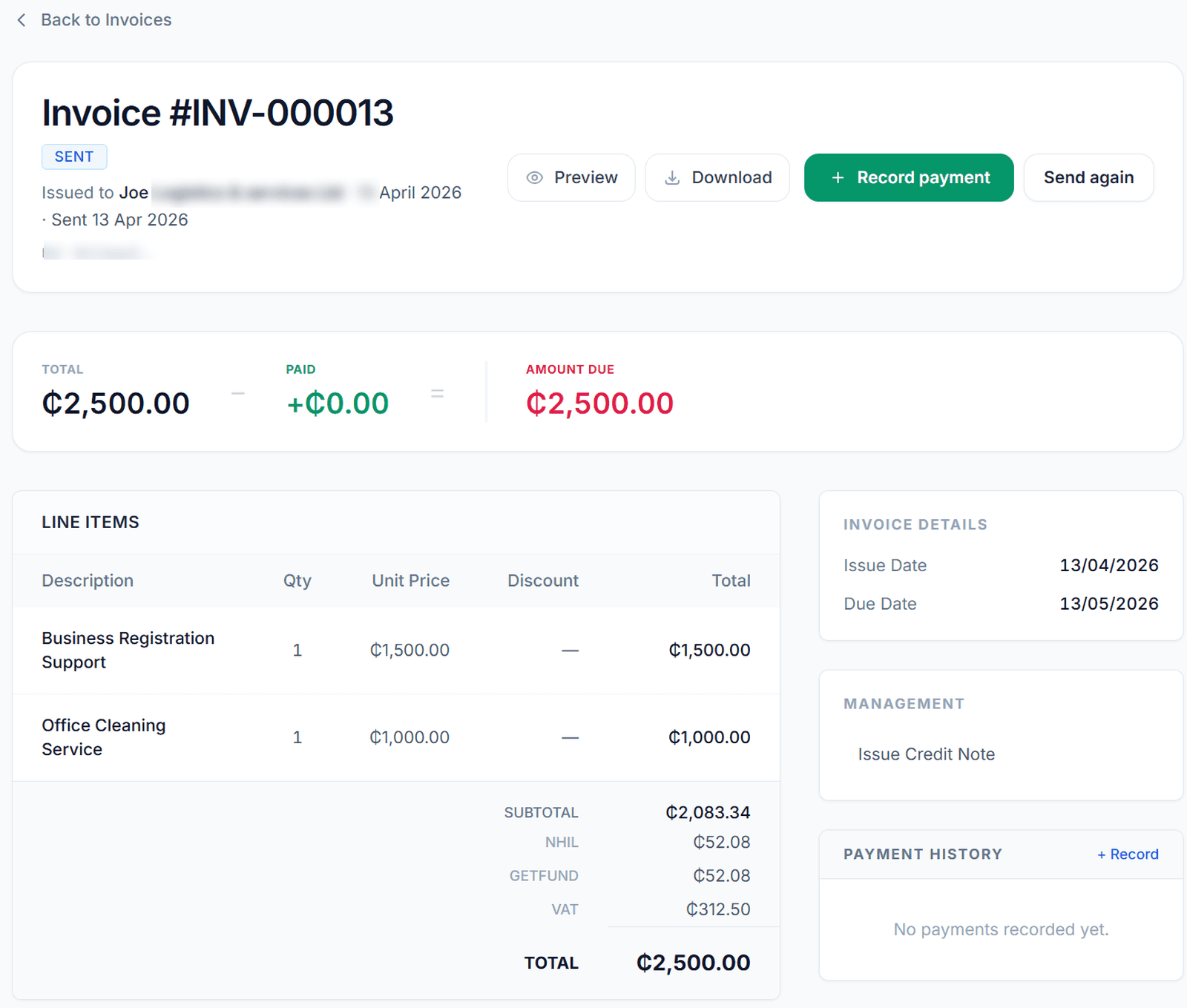
Record payments against the right customer
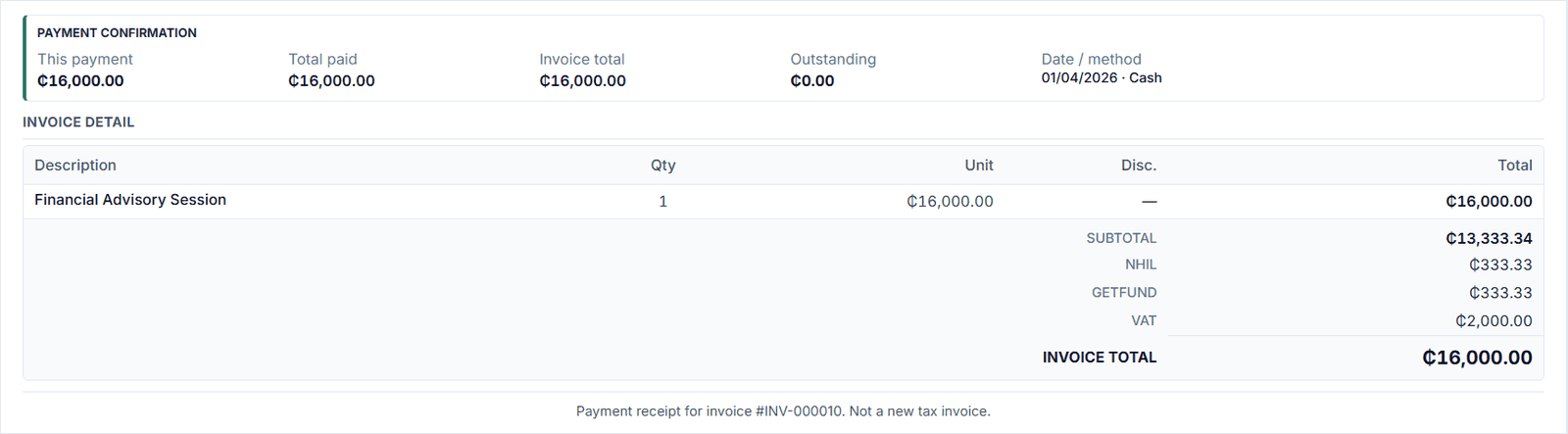
Send documents clients can understand
This page focuses on invoice creation and sending. You can print Mobile Money or bank details on the invoice and record the payment when it arrives. If you connect your own Hubtel merchant account, customers can also pay from the public invoice page on Hubtel checkout, including Mobile Money methods available on that Hubtel account. Finza records the payment after Hubtel confirms it and does not hold the funds. When collections become the main problem, use invoice tracking to follow unpaid and overdue balances.
- Invoice PDFs
- Public document links
- Email sending
- WhatsApp sharing links
- Bank and Mobile Money details
- Hubtel checkout on the invoice, using your own Hubtel account
- Receipts after payment
Show Ghana tax lines where they apply
Finza helps show Ghana tax lines such as VAT, NHIL, GETFund, and WHT clearly where applicable. This makes invoices easier to review and helps your accountant understand how the invoice was prepared.
Tax treatment depends on your business registration, supply type, and accountant or GRA guidance.
- VAT, NHIL, and GETFund support where applicable
- WHT receivable tracking where applicable
- Tax breakdowns on supported documents
- Clear totals in GHS
From quote or proforma to invoice
Some clients need a quote before approval. Others need a proforma before payment. Finza supports those earlier document stages so your invoice does not start from scratch.
You can prepare the client offer, confirm the details, and continue the workflow into the invoice stage. See quotation software in Ghana for quotes and proformas, invoice tracking for unpaid balances, or download a free Ghana invoice template if you still work in Excel or Google Sheets.
Quotes
Send pricing before the client approves the work.
Proformas
Issue a formal payment request before the final invoice where needed.
Invoices
Bill the customer when the work, agreement, or payment stage requires it.
Receipts
Give proof of payment after money is recorded.
Cleaner invoice records for your accountant
Invoices become more useful when they connect to the rest of your business records. Finza keeps invoices closer to payments, receipts, expenses, supplier bills, incoming documents, payroll, reports, and accounting workflows.
This helps reduce the end-of-month search through PDFs, screenshots, WhatsApp messages, and spreadsheets.
Explore accounting featuresWho this invoicing software is for
Finza is built for Ghanaian businesses that send client invoices and need better control over payment tracking and business records.
Invoices your accountant can follow
Finza keeps quotes, invoices, receipts, and payments in one place, including Ghana tax lines where they apply. Those lines are not a VAT return. Your accountant or GRA confirms the treatment for your business.
Common questions about invoicing software in Ghana
Create clearer invoices and track payments in GHS
Use Finza to prepare quotes, proformas, invoices, receipts, payment instructions, and Ghana tax-line documents in one GHS workflow.