Run invoices, quotes, expenses, and reports in one place—in GHS—with Finza Assist
Finza helps service businesses and accountants in Ghana manage day-to-day money work: send invoices online, turn quotes into bills, record spending, and open reports without rebuilding spreadsheets.
See pricing in GHS, dive into accounting software for Ghana, or compare invoicing, quotations, bookkeeping, and payroll for Ghana teams.
What Finza does
In plain language.
Invoices and quotes in Ghana cedis
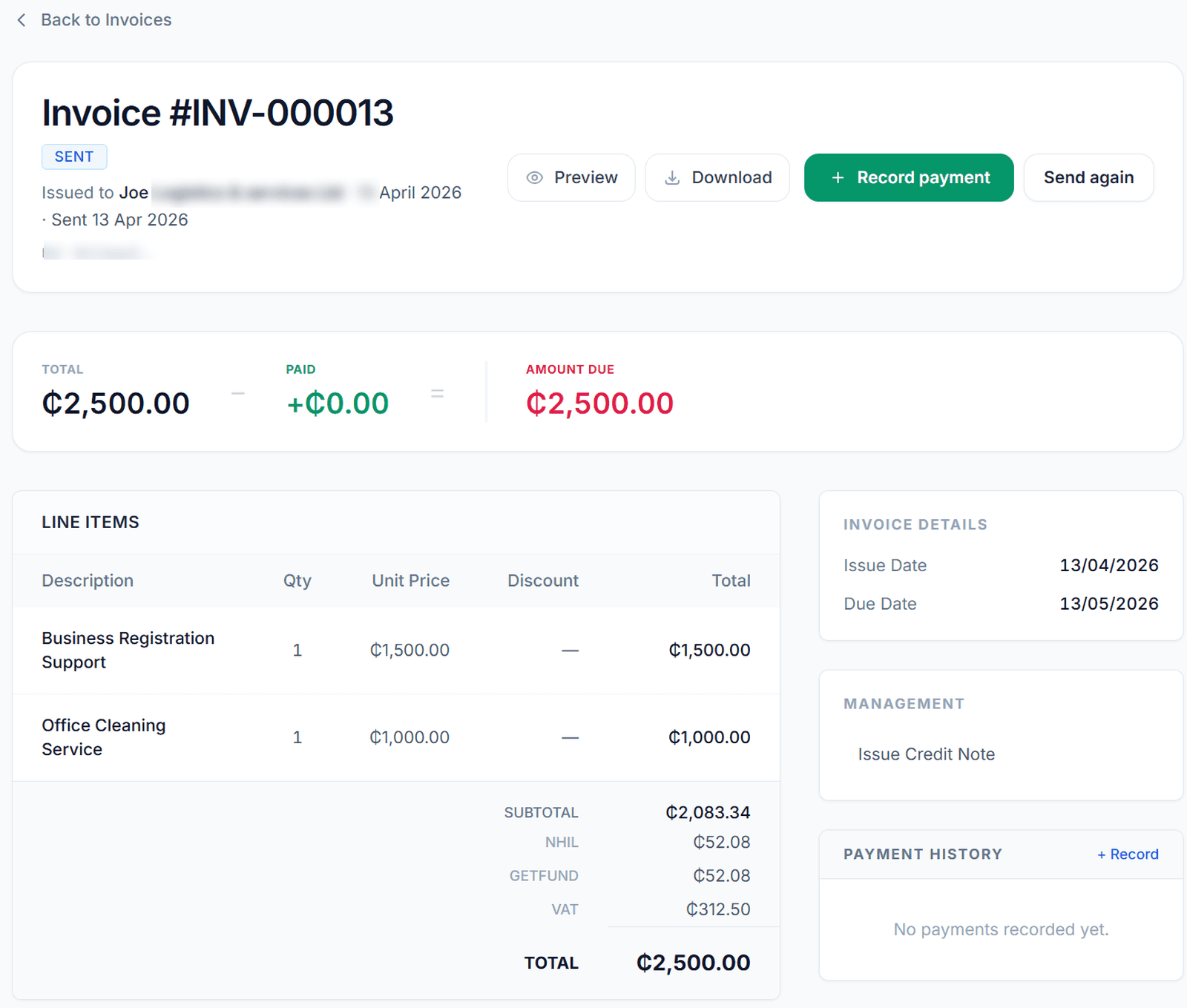
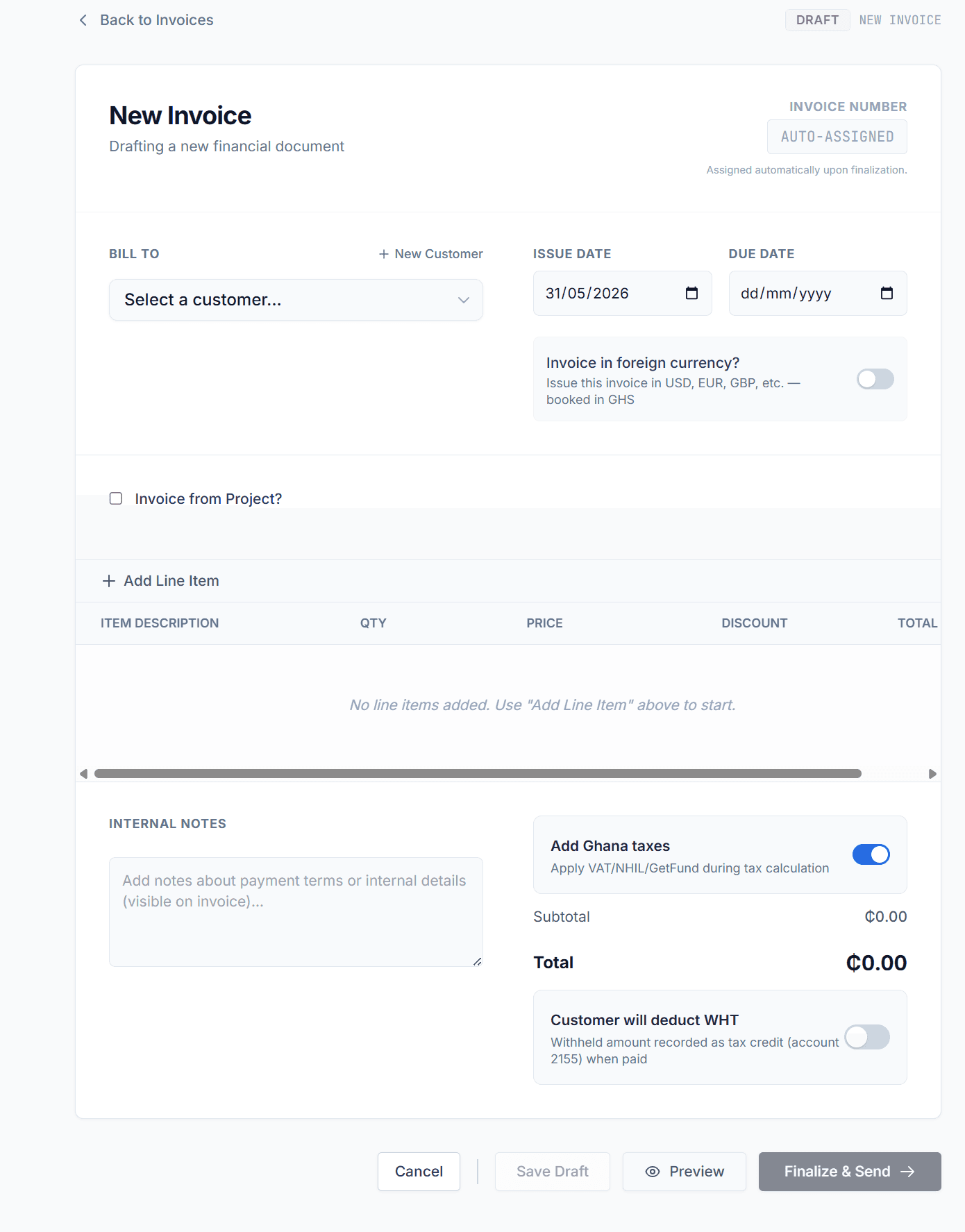
Send invoices online, track unpaid amounts in GHS, and move from approved quotes to invoices without retyping.
Expenses you can categorize
Record what the business spent, when, and why—so week-to-week bookkeeping stays honest.
Reports when you need them
Open profit and position views without waiting for someone to merge files. Built for owners who want clarity and accountants who need organized clients.
Ghana tax lines where applicable
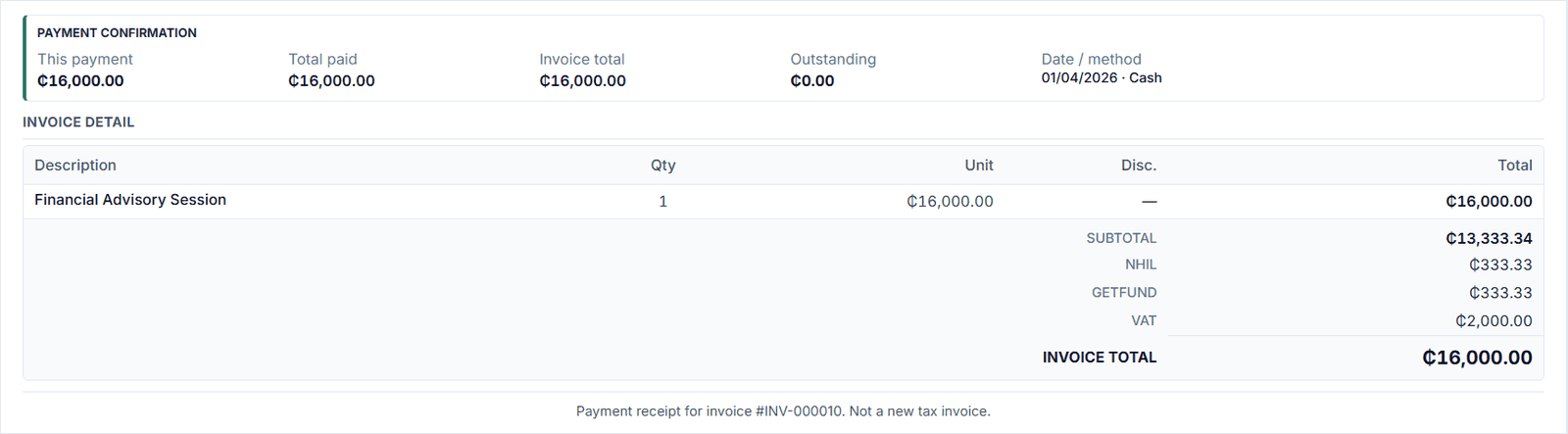
VAT, NHIL, and GETFund can be shown separately on activity and documents when your business requires them. What applies depends on registration and supply type—confirm with your accountant or GRA.
Monthly payroll — PAYE, SSNIT, payslips
Run approved monthly payroll with Ghana PAYE and SSNIT logic, handle bonus and overtime where your setup requires it, and send payslips by email or WhatsApp. Records can align with the rest of your accounting.
Finza Assist
In-app Ghana-aware copilot for VAT, WHT, PAYE, and bookkeeping—read-only workspace data and server-verified numbers. Helps you understand and act without posting entries or changing records automatically. Full detail in the Finza Assist section below.
Finza Assist
Ghana-aware copilot—read-only data, you stay in control
Finza Assist is an in-app, Ghana-aware copilot: it explains VAT, withholding tax (WHT), PAYE, and bookkeeping using read-only workspace data and server-verified lookups when numbers must be right. It helps you understand and choose your next step without posting entries or changing records automatically. It sees where you are in the app and a client snapshot (invoices, bills, customers, suppliers, accounts, jobs, high-level totals)—when figures matter, tools on the server are authoritative. It can navigate using routes Finza defines for the assistant. This is educational support—not tax or legal advice.
What Assist can look up for you
Typical read-only lookups (exact availability follows your permissions and plan):
- ·Dashboard-style summary—this month’s payments vs expenses, invoice status counts, overdue receivables (approximate), unpaid supplier bills (approximate). Not a substitute for full payroll detail in that summary.
- ·Search invoices (number and/or customer), bills (number, supplier, notes), and customers (name or email).
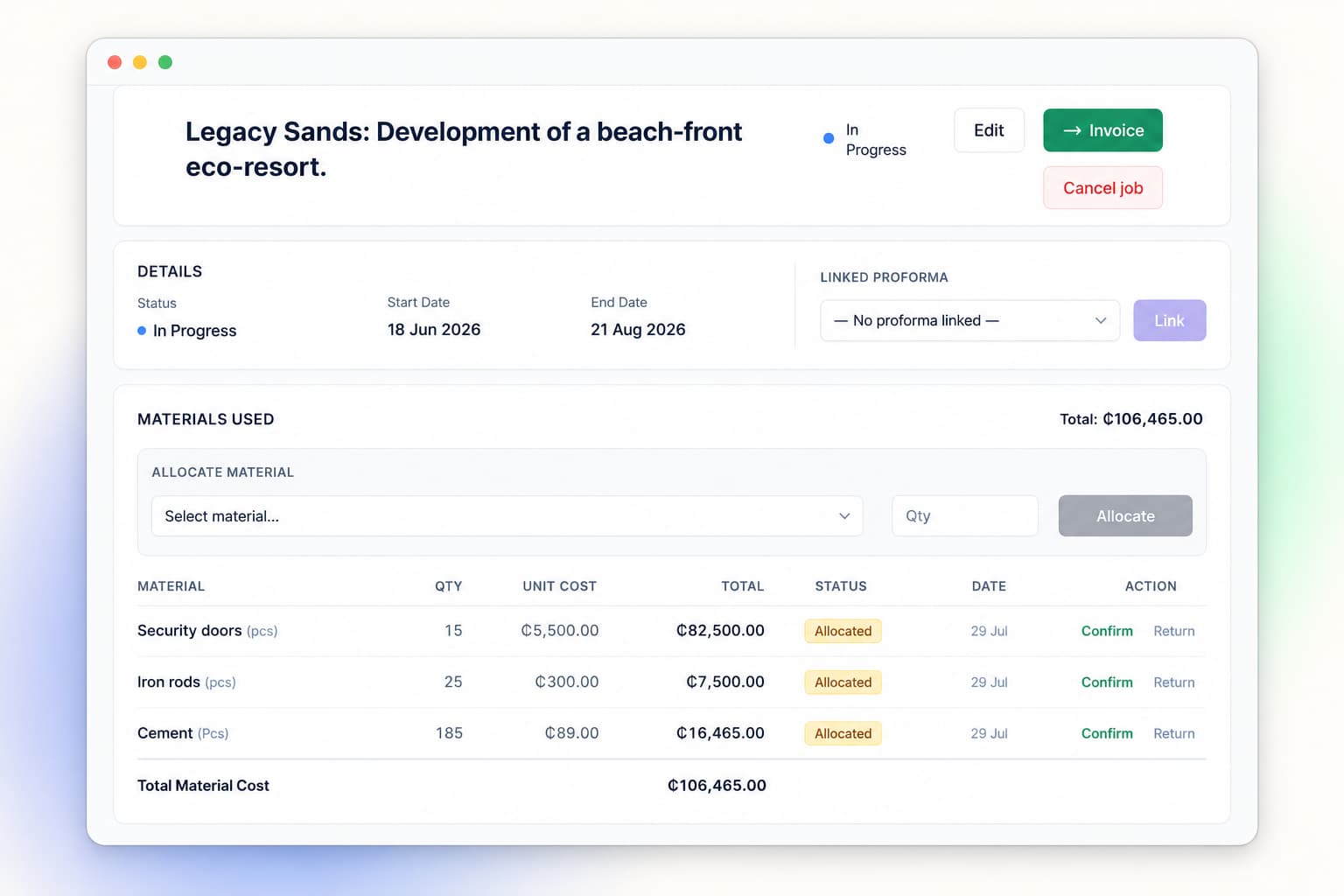
- ·Open receivables, optionally overdue only; full detail for an invoice when you are on that invoice screen.
- ·Tax profile—VAT scheme, CIT code, TIN, currency, trading and legal name.
- ·Payroll runs—summaries and optional per-staff lines.
- ·Expense totals by category for a month.
- ·Profit & loss and balance sheet summaries from the ledger when accounting is initialized and you have report access.
What Assist does not do
- ✕It does not create, edit, or post transactions. Tools are read-only except that you can still attach a receipt in the UI.
- ✕Receipt OCR reads the image and may add suggested text to the chat—nothing is booked until you save an expense or bill yourself.
- ✕Draft handoff: the model may suggest links that open create screens with fields pre-filled. You review every line and hit save—there is no auto-save from Assist.
Onboarding assistant (separate)
While you set up Finza, a different assistant uses your business profile (name, industry, country, currency) and current onboarding step to give short, structured guidance—what it means, what to click, and common mistakes. It does not use Finza Assist’s ledger tools or live accounting queries.
Client-side context can be briefly out of date; Assist is designed to prefer verified tools when you need numbers you can rely on. Fair use limits apply to assistant and tool rounds per minute.
Best fit
Best for businesses that need:
Service companies in Ghana that invoice clients every week
Small businesses that want to track unpaid invoices in GHS
Teams that quote first, then bill—without two versions of the truth
Owners who want expense tracking without a second app
Shops planning for POS and stock — retail flows are on our roadmap
Accountants managing Ghanaian clients who need cleaner files
Anyone who wants tax summaries aligned with real activity—where applicable
Businesses tired of rebuilding the same spreadsheet each month
Employers who need monthly payroll with clear PAYE and SSNIT—not another generic HR suite
Teams that want Finza Assist—Ghana tax and books Q&A plus live lookups, without giving up control of the ledger
The foundation
One general ledger. Everything flows into it.
All financial data in Finza — sales, invoices, expenses, payments, stock adjustments — flows into a single general ledger. There is no separate system for "reports" and another for "transactions."
Reports are generated from the trial balance of that same ledger. Your income statement is derived from the same entries that recorded the original transactions. There is no re-assembly, no export-to-Excel step.
- All financial data flows into one ledger
- Reports come from the trial balance — not a separate database
- The ledger is always balanced: debits equal credits
- No re-entry between modules
Data flow
Auto-posting engine
Your books update the moment you record a transaction.
You record a transaction. Finza writes the journal entries immediately — both sides of every entry, correctly. No delays. No overnight sync. No end-of-month catch-up.
Invoice raised
Payment received
POS sale
These entries are written the moment you confirm the transaction. The ledger is never out of date.
Ghana VAT and tax
Ghana tax handling—VAT, NHIL, and GETFund where applicable
Many Ghanaian businesses show VAT, NHIL, and GETFund on invoices and activity. Finza supports common tax line presentation when your registration and supply type require it. Always confirm what applies with your accountant or GRA.
Note
Tax rules change. Finza is updated to reflect Ghana frameworks as described on our tax guides; your business may have exemptions or different treatment—professional advice is essential.
VAT
15%Standard or Flat Rate Scheme. Input and output tax tracked separately. Net VAT position always current. GRA-ready report available at any time.
NHIL
2.5%National Health Insurance Levy. Calculated and posted as a separate liability line on every applicable transaction. Not bundled with VAT. Treated as an input tax deduction effective 1 January 2026.
GETFund
2.5%Ghana Education Trust Fund levy. Separated from VAT and tracked as its own ledger account. Treated as an input tax deduction effective 1 January 2026.
GRA-ready VAT report
Your VAT control account is always up to date. At period end, the report shows opening balance, VAT collected, VAT reversed, and closing balance — ready for filing with GRA. No manual assembly required.
Financial reporting
Financial reports — always current, never assembled by hand.
There is no separate report-building step. Every report reads from the general ledger directly. The moment a transaction is posted, every report that uses that account updates.
Profit & Loss Statement
Revenue, cost of goods, gross profit, expenses, and net income — drawn from actual ledger accounts, not manually assembled. Always current.
- Revenue accounts
- COGS accounts
- Expense accounts
- Net income
Balance Sheet
Assets, liabilities, and equity at any point in time. Always balanced because the ledger underneath it is always balanced.
- Current assets
- Fixed assets
- Current liabilities
- Equity
Trial Balance
The source document for all other reports. Lists every account with its debit or credit balance. Available instantly, at any point in time.
- All active accounts
- Debit / Credit columns
- Always sums to zero
- Exportable
Additional reports: Aged Receivables, VAT Control, Account Statements. All sourced from the same ledger.
Payroll
Monthly payroll built for Ghana
Finza is not a global payroll platform or a full HR system. It is for Ghana businesses that need correct monthly payroll: staff profiles, PAYE and SSNIT based on your setup, approval before payroll is official, and payslips your people can open on the channels they already use.
One monthly run with draft review before you approve
PAYE using Ghana progressive bands where applicable to taxable income
Employee and employer SSNIT from basic salary, based on payroll inputs
Bonus and overtime handled separately when the payroll case calls for it
Payslips after approval—by email or WhatsApp
Salary advances and repayments visible in the same workflow
Workspace types
Choose the workspace that fits your business.
Service businesses can use Finza today on published plans. Retail POS and inventory are on the roadmap — same ledger engine when they ship.
Invoicing & services — available now
Plans from GHS 149/month
For agencies, consultancies, contractors, and anyone who quotes and invoices clients. AR, payments, and reports read from the same ledger — see Pricing for Essentials, Professional, and Business.
Invoicing with automatic AR posting
When you issue or send an invoice (not while it stays draft), it posts receivables and revenue to the ledger—no separate journal step.
Accounts receivable tracking
Outstanding invoices, payment history, and aged balances are tracked against the ledger in real time.
Payment recording
When a client pays, the receivable clears and cash is posted. The outstanding balance updates immediately.
Retail & POS — on the roadmap
Shops, pharmacies, and stock-led businesses
We're building POS, inventory, and COGS on the same general ledger. Not live in app yet — no pricing advertised until launch.
Point of Sale (POS)
Planned: each sale posts revenue, cash, VAT, stock movement, and COGS in one flow.
Inventory tracking
Planned: stock levels and balance-sheet inventory tied to real sales and purchases.
Cost of Goods Sold (COGS)
Planned: COGS posted when goods sell — not a manual month-end rebuild.
Accountant workspace
Professional tools for accountants managing Ghanaian clients.
Accountants get a dedicated workspace to manage client ledgers — with the controls that professional practice requires.
Client ledger access
Review client transactions and balances. Post journal entries. Manage multiple clients from one login.
Manual journal entries
Post adjustments, accruals, and corrections directly into the client ledger — with full audit trail.
Period locking
Lock a period once books are confirmed. Prevents any further entries for that month or year — by anyone.
Reversals — not edits
Corrections are posted as reversing entries. The original entry stays. The audit trail is never modified.
Accountant Workspace — GHS 700 / month
Manage multiple client ledgers from one portal. First month free.
Why businesses choose Finza
- ✓Built for Ghana—not adapted later
- ✓Clear tax line handling (VAT, NHIL, GETFund where applicable)
- ✓Designed for service businesses and accountants
- ✓Finza Assist—in-app copilot for Ghana VAT, WHT, PAYE & books; read-only data, server-verified numbers, no auto-posting
- ✓Simple to use without accounting knowledge
Explore features, compare pricing in GHS, or read accounting software for Ghana.
How Finza helps you day to day
- →Send invoices and track payments in one place
- →See what your business actually earned in GHS
- →Stay ready for tax conversations without last-minute fixes
- →Work with your accountant without rebuilding records
Explore accounting software for Ghana, invoicing software in Ghana, and pricing in GHS. Looking for bookkeeping or quotations before you bill? Finza connects those flows.
See it in action.
Choose a workspace, enter your business name, and walk through a real demo of how the ledger works.